
What's new – version two
Rewritten in native Kotlin using Android Studio and Google Antigravity.
Features
- Installation volume calculator: iterated on with real-world feedback.
- Scope check: an initial IVt calculation works out whether the installation is within the 0.035m³ scope of domestic installers, before the engineer starts.
- Second IVt calculation: reuses the same IVm and IVp as before if nothing has changed. If the meter was exchanged for a different size, or pipework was carried out, these can be swapped individually.
- Purge volume and permissible drop: the purge volume (IVt × 1.5) and the permissible drop to IGEM/UP/1B Version 4 are displayed.
- Purge method: a suitable method is worked out from the situation.
- No pipework? A meter-only purge is selected.
- IVt under 0.02m³? An "ignited" purge is preferred, but a "vented" purge is allowed.
- IVt over 0.02m³? Only an "ignited" purge is allowed, and the engineer is asked to confirm the available appliances allow for this.
- Purge Assistant: once a purge method and volume are identified, it works out the target meter reading to reach when purging.
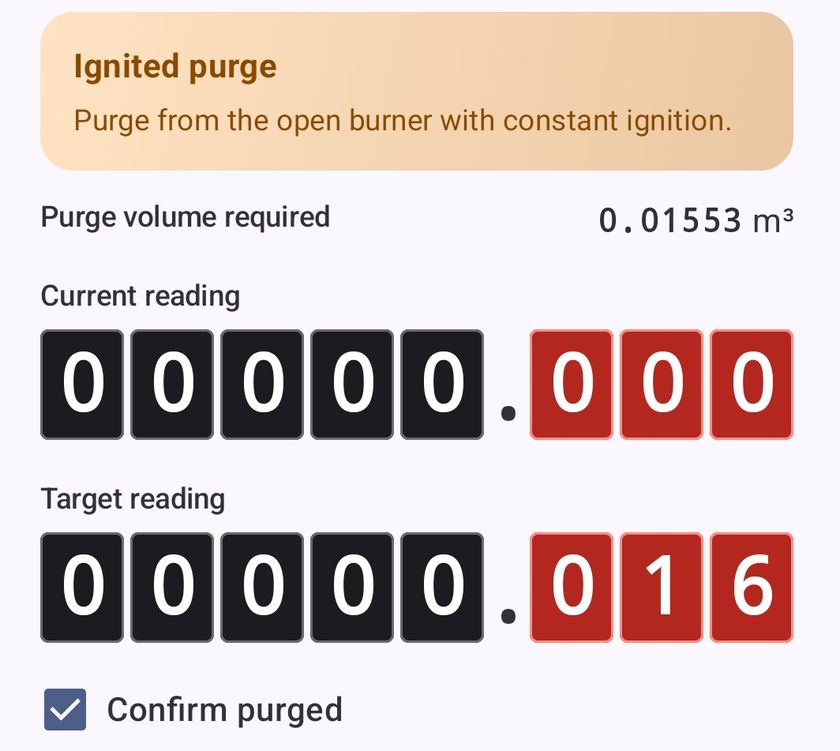
- Timers: handy timers within the flow save the engineer opening a second or even third app. They stay persistent in the notification bar, and I'm trialling Dynamic Island widgets in a prototype iOS version.
- Results screen: shows the entire working of the flow, from "smell of gas?" and "are there appliances connected?" to the full IVt workings, tightness test results, permissible drop, purge method and volume.
- Latest version check: on launch, TightnessPro checks it's running the latest version, which helps engineers make sure they have the latest bug fixes and features.
- In V1 this used a static GitHub page, where I manually bumped the version number with each new release.
- In V2 this uses the anonymous analytics, which tally how many times the app has been used and which version was used. A Supabase function returns the highest version number it's seen in the wild as the latest for the version check.
Assets
These come from two places.
Google Material Icons: these are an easy win, because they're bundled with the OS and their colour and appearance can be customised with one line of code.
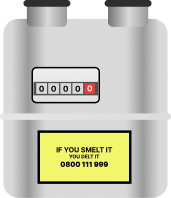
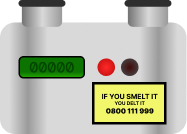
Self-drawn in Figma: for more gas-specific things that Material Icons doesn't include, I found it easier to draw what I wanted using vector shapes in Figma. I used simple gradient fills for most of the shapes and exported them at various sizes. This is also how I made the V2 app icon, which hopefully you can tell is U-gauge (manometer) inspired.

Analytics compliance decision
I wanted V2 to have more detailed analytics than it eventually ended up with.
Originally I had the app generate a UUID on first launch, which would be sent with analytics to identify new versus returning users, and how many times on average a user returned. It would also send the results of each test, so I could generate interesting stats, such as how many tightness tests on average had a drop, and whether that drop was permissible.
However, in my research I discovered UUIDs are pseudonymous, not anonymous. To comply with GDPR (and Play Store rules), that would need opt-in consent from the user, as well as a route for users to have their data deleted on request.
I decided most users probably wouldn't grant consent to an app like this (why would a calculator app need data collection consent?), so I didn't implement the more detailed method in the final version.
To be clear, the final app only reports three things:
system_os:androidoriosapp_version: for example2.2event_type:calculation_completed
These are fully anonymous, so they stay clear of GDPR issues. I do two things with this information:
- Automate the latest version banner in the app, which checks the user is on the latest version.
- Tally how many calculations have been completed with the app, purely for my own interest.
Future aspirations
- A more polished Guided Test flow: I'd like to improve its visual feel and layout to be more polished and modern. Currently it's just basic buttons with some styling. I think subtle animations and an improved design language throughout the app would serve it well.
- An expert review: I'd like someone with more gas knowledge than me to review the logic and wording. I've described a lot of concepts, like "ignited purge" and "vented purge", as I understand them, but I'm not 100% sure this is technically accurate terminology. There's also a possibility of outlier situations the app might not catch. I've already used feedback to add "cap & retest", to identify whether a drop is on the appliance or the pipework, and an initial IVt calculation to catch installations larger than domestic scope allows.